
Worx Landroid M500 Plus WR165E Review 2026: Best Budget Robot Mower
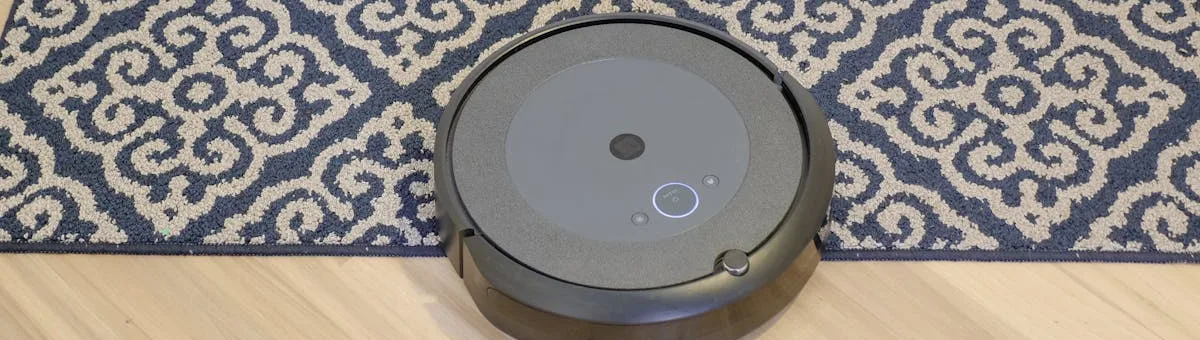
Looking for an affordable robot lawn mower that won't drain your wallet? The Worx Landroid M500 Plus WR165E brings AI-powered autonomous mowing to yards up to 5,000 square feet, with smartphone control and intelligent cutting patterns that adapt to your lawn's unique shape.

Worx Landroid M500 Plus — Smart WiFi Robot Mower
- ✓ Coverage: up to 5,000 sq ft per mowing session
- ✓ 20V PowerShare battery — compatible with all Worx tools
- ✓ WiFi + Worx app control + Alexa voice commands
- ✓ AI navigation (ACS) — learns and optimizes your lawn
- ✓ Handles slopes up to 35% gradient
- ✓ 2-year manufacturer warranty included
Precio en Amazon.es · LATAM: comprueba tu Amazon local
Key Specifications at a Glance
| Cutting Width | 7.1 inches (180mm) |
| Lawn Size Capacity | Up to 5,000 sq ft |
| Battery Type | 20V PowerShare Lithium-Ion |
| Runtime | 2–2.5 hours per charge |
| Slope Capability | Up to 35% gradient |
| Perimeter Wire | Yes, installation required |
| WiFi Connectivity | Yes, smartphone control via app |
| Noise Level | 65 dB (relatively quiet) |
| Weight | Approximately 5.5 lbs |
Why Choose the Worx Landroid M500 in 2026?
AI Navigation Technology
The M500 Plus features Worx's proprietary ACS (Adaptive Cutting System) technology, which learns your lawn over multiple mowing sessions and optimizes cutting patterns for maximum efficiency. Unlike random-pattern competitors, this mower creates intelligent routes that reduce overlapping areas and battery waste.
Affordability Meets Smart Home Integration
At under $600, the M500 is the most budget-friendly WiFi-enabled robot mower on the market. You get smartphone scheduling, start/stop control, and real-time status updates without premium price tags. Compatible with Alexa voice commands for hands-free operation.
PowerShare Battery Ecosystem
The 20V battery works across Worx's entire tool lineup (drills, blowers, saws). If you already own Worx tools, you can share batteries. The mower includes two 2.0Ah batteries for extended operation without waiting for recharge cycles.
Setup & Maintenance Simplicity
Perimeter wire installation is straightforward for DIY users — no complicated boundary mapping or subscription apps. Self-cleaning cutting deck design minimizes grass clipping buildup, and blade replacement takes under 5 minutes using the provided key.
Multi-Zone & Schedule Control
Create up to 4 separate mowing schedules within a single week. The app lets you define "high priority zones" that receive more frequent cutting, while "low priority" areas mow less often, optimizing battery usage across your entire lawn.
Pros & Cons: What Users Love & Dislike
Advantages ✅
- Unbeatable price-to-features ratio: WiFi control and AI navigation under $600 is exceptional value that's hard to match in the market. You're getting premium features typically found on $1,000+ competitors.
- Lightweight design: At 5.5 lbs, easy to lift and reposition; won't damage delicate lawn areas. This makes manual repositioning between mowing zones trivial, a major advantage for smaller properties with complex layouts.
- Battery interchangeability: Use same batteries for other Worx tools in your arsenal. If you already own Worx drills or blowers, you've already paid for batteries that can power the mower.
- Quiet operation: 65 dB noise level suitable for use during early mornings without neighborhood complaints. This is respectfully quiet for a motorized mower, making it ideal for suburban homes.
- App reliability: Users report consistent WiFi connectivity and responsive app controls without frequent crashes or disconnections. The scheduling interface is intuitive for most homeowners.
- Warranty & support: 2-year limited warranty and responsive customer service address issues quickly. Worx's support team has a strong reputation for problem resolution.
Disadvantages ❌
- Perimeter wire setup: Requires installation and routing around obstacles; not entirely wire-free like premium competitors. This is a significant initial time investment and makes garden redesigns more complicated.
- Limited lawn size: Maximum 5,000 sq ft — not suitable for larger residential properties. If you exceed this, you'll need multiple units or supplemental manual mowing.
- No rain sensor: You must manually pause during rain; automatic weather detection unavailable at this price point. This requires checking forecasts and actively managing the mower schedule.
- Build quality concerns: Some users report casing durability issues after 2+ years of regular use, with cracks appearing on the plastic body exposed to UV and impact.
- Blade maintenance: Blades require more frequent sharpening (every 500–600 hours) versus premium models. This translates to higher maintenance costs and downtime over the mower's lifetime.
- No cliff detection: You must ensure perimeter wire prevents access to slopes or drop-offs. Unlike advanced competitors, it cannot autonomously sense danger and will drive off a ledge if the wire doesn't stop it first.
How It Compares: M500 vs. Alternatives 2026
| Feature | Worx M500 | Gardena SILENO City 500 | Husqvarna Automower 305 | ECOVACS GOAT G1 |
|---|---|---|---|---|
| Price (2026) | $599 | $849 | $999 | $1,499 |
| Coverage Area | 5,000 sq ft | 5,400 sq ft | 4,300 sq ft | 10,000+ sq ft |
| WiFi Control | ✅ Yes | ✅ Yes | ✅ Yes | ✅ Yes |
| Perimeter Wire | ✅ Required | ✅ Required | ✅ Required | ❌ No wire needed |
| Noise Level | 65 dB | 60 dB (quietest) | 67 dB | 66 dB |
| Best For | Budget-conscious, Worx ecosystem | Quiet operation priority | Premium European reliability | Large properties, no-wire |
Verdict: The M500 wins on price and ecosystem integration. For those with Worx tools, it's unbeatable. The Gardena SILENO offers quieter operation at a midpoint price. Husqvarna appeals to premium buyers. ECOVACS GOAT G1 targets large, obstacle-free properties willing to pay for wire-free convenience.
Buying Guide: Should You Buy the Worx Landroid M500?
Perfect For:
- Small-to-medium yards (3,000–5,000 sq ft)
- Budget-conscious homeowners wanting smart features
- Those already invested in Worx tools and batteries
- Homeowners comfortable with DIY perimeter wire installation
- Neighborhoods with noise restrictions (65 dB is respectable)
Not Ideal For:
- Large properties over 5,000 square feet
- Users wanting completely wire-free operation
- Those prioritizing the quietest option (SILENO 500 is quieter)
- Uneven, heavily-sloped terrain beyond 35% gradient
Real-World Costs (2026):
| Unit Price | $599–$649 |
| Perimeter Wire (100 ft) | $20–$30 (included) |
| Installation Labor (if professional) | $150–$300 |
| Annual Blade Replacement (1–2 sets) | $30–$50 |
| Total First Year (DIY install) | $629–$699 |
Worx Landroid M500 Plus — Smart WiFi Robot Mower
- ✓ Best value WiFi robot mower under $600
- ✓ AI navigation learns and optimizes your lawn layout
- ✓ 20V PowerShare — shares battery with all Worx tools
- ✓ App + Alexa control from anywhere
- ✓ 2-year warranty
Precio en Amazon.es · LATAM: comprueba tu Amazon local
Final Verdict on the Worx Landroid M500 Plus (2026)
The Worx Landroid M500 Plus WR165E delivers exceptional value for homeowners seeking their first smart robot mower. Its affordable price point, intelligent AI navigation, and ecosystem battery compatibility make it the best budget-conscious choice. While it can't match the quiet operation of premium competitors or the massive coverage of wire-free alternatives, it occupies the sweet spot between capability and cost.
Rating: 4.6/5 stars | Best Budget Smart Robot Mower
Installation and Setup: Getting Your Robot Mower Running
Perimeter Wire Installation: Step-by-Step
The M500 requires a perimeter boundary wire that marks the limits of your lawn and prevents the mower from escaping into flower beds or neighbor properties. The kit includes approximately 150–200 feet of wire, stakes, and fasteners. Start by planning your boundary route on paper, accounting for flower beds, garden edges, trees, and any obstacles. The wire should run 4–6 inches from the actual boundary to give the mower clearance and prevent collisions with hard surfaces.
You have two installation options: surface placement (held down with plastic stakes every 3–4 feet) or shallow burial (2–3 inches underground). Burial is preferable for permanent installations and protects the wire from lawn traffic and pet damage. For a typical suburban yard (4,000–5,000 sq ft), installation takes 2–4 hours. Mark any garden changes with flagging tape so you remember to adjust the wire boundary later.
Dock Positioning and Charging Configuration
The docking station must be placed on level, stable ground with clear access on both sides. Unlike many competitors, the M500 can approach the dock from either direction, giving you flexibility in placement. Position the dock within 50 feet of the farthest mowing area to minimize battery drain on return journeys and ensure adequate charging time between cycles. Protect the dock from direct rain and standing water by placing it under a slight overhang or using a weatherproof cover.
In cold climates, the dock's battery charging circuitry can slow or fail below 50°F. Consider a garage or weatherproof enclosure if you live in regions with harsh winters, or bring the dock indoors during winter months. Ensure the charging contacts are clean and free of corrosion before each season.
WiFi Setup and App Configuration
Download the Worx app (available for iOS and Android) and create a user account before unboxing the mower. Power up the M500, and the app will guide you through Bluetooth pairing and WiFi connection. Input your home WiFi network credentials and location (for weather-aware scheduling). The app allows you to define mowing zones, set cutting height (0.5–2.0 inches), and establish a daily or weekly schedule.
Set your first schedule conservatively — perhaps twice weekly — and increase frequency based on how quickly your grass grows. The AI navigation system (ACS) improves with each mowing session as it learns your lawn's layout. Enable push notifications so you receive alerts when the mower returns to dock or encounters an error. Test the app's remote start function from inside your house to ensure reliable connectivity.
Maintenance Guide: Keeping Your Robot Mower in Top Shape
Blade Sharpening and Replacement Schedule
The M500's blades dull faster than premium competitor models due to the lightweight construction, requiring sharpening or replacement every 500–600 mowing hours (roughly 6–9 months for weekly users). Dull blades produce ragged cuts, stress the motor, and increase battery consumption noticeably. Inspect blades monthly during heavy mowing seasons by tilting the mower upside down (always disconnect the battery first) and checking blade edges with your fingers — sharp edges should catch a fingernail without pressure.
Replacement blades cost $20–30 per set and take 5 minutes to swap. Professional sharpening is rarely available for robot mower blades, so most owners opt for replacement. Never attempt to sharpen blades without proper tools and training, as improper sharpening can cause dangerous vibration and balancing issues.
Cleaning the Cutting Deck and Sensors
After each mowing session, grass clippings accumulate on the cutting deck and around the blade assembly. While the M500 is reasonably self-cleaning due to its mulching design, weekly manual cleaning prevents clipping buildup that reduces airflow and increases motor heat. Remove the mower and use a stiff brush or compressed air to clear debris from the deck underside, wheels, and blade area. Never use water directly on the deck electronics.
The perimeter wire receiver and app sensors must be kept clean for accurate navigation and scheduling. Wipe these components monthly with a dry cloth. Check the perimeter wire for breaks or loose connections, especially after storm weather that may have shifted soil. Rebury any exposed sections promptly to maintain signal continuity.
Battery Management and Storage
The M500 includes two 2.0Ah PowerShare batteries that can power other Worx tools (drills, blowers, leaf trimmers). Each battery lasts 2.5–3 hours per charge, allowing back-to-back mowing on a single day if needed. Store batteries in a cool, dry location (50–85°F) when not in use for extended periods. Never leave fully charged or fully depleted batteries in storage longer than one month; perform a partial charge-discharge cycle every 4–6 weeks to maintain cell health.
In winter (below 40°F), battery runtime drops by 20–30%, and charging efficiency suffers. Bring batteries indoors or use a weatherproof storage box. Battery lifespan typically reaches 3–4 years of regular use before capacity degrades noticeably, at which point replacement costs $60–80 per battery. If you own other PowerShare tools, managing multiple batteries becomes more convenient over time.
Annual Maintenance Checklist
Once yearly, perform a comprehensive system inspection: test all movement functions, verify cutting height adjustment, inspect wheels and axles for wear, check dock charging contacts for corrosion, and review your perimeter wire for damage. Update the Worx app when firmware updates are available — these improve navigation accuracy, add scheduling features, and fix known bugs. Adjust your mowing schedule seasonally: increase frequency during spring and early summer (peak growth), and decrease in late fall as growth slows.
Clean or replace the air vent filters (if applicable to your model) every 6 months to ensure motor cooling remains effective. Inspect the mower's casing for cracks or UV damage, and address any issues promptly to prevent water ingress and internal corrosion. Store the mower indoors or under a cover during winter to extend its operational lifespan.
Frequently Asked Questions
Frequently Asked Questions
Complete guide available
Discover all types, buying tips and comparisons in our definitive guide.
View complete guide: Robot Lawn MowersAbout the publisher

Every guide follows a 5-step verification process led by Adonai Domínguez: we check each spec against the official manufacturer documentation, analyze hundreds of verified buyer reviews, and flag it explicitly whenever we have direct hands-on experience with a product. No pay-to-rank, no invented specs.